When you enroll in this course, you'll also be enrolled in this Specialization.
Learn new concepts from industry experts
Gain a foundational understanding of a subject or tool
Develop job-relevant skills with hands-on projects
Earn a shareable career certificate
There are 3 modules in this course
By the end of this course, learners will be able to apply intelligent selection tools, execute non-destructive masking workflows, design professional layouts, enhance images with advanced filters and color control, and leverage AI-powered features for realistic image transformation and depth effects.
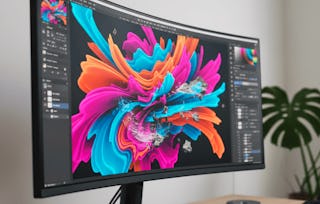
This course provides a comprehensive, hands-on exploration of modern Photoshop workflows used in professional visual design and compositing. Learners progress from mastering AI-driven selection and masking techniques to creating structured banners, applying advanced filters, and managing color harmony. The course further distinguishes itself by introducing cutting-edge AI features such as style transfer, harmonization, landscape mixing, and depth blur, enabling learners to produce visually cohesive and realistic composite images.
Through practical demonstrations and project-based workflows, learners gain industry-relevant skills that improve efficiency, creative control, and visual accuracy. The emphasis on non-destructive editing and real-world scenarios ensures learners can confidently adapt these techniques to marketing assets, digital artwork, and professional design projects.
What makes this course unique is its balanced focus on foundational precision, creative design principles, and advanced AI-assisted image editing—preparing learners to meet modern visual content demands with confidence and technical excellence.
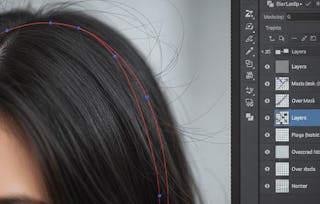
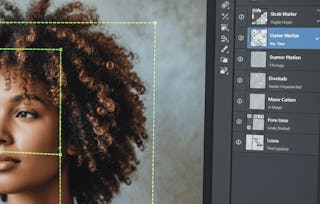
This module introduces learners to Photoshop’s intelligent selection and masking capabilities used for professional image compositing. Learners explore AI-powered selection tools, multi-object editing workflows, and advanced masking techniques to isolate subjects accurately. The module emphasizes non-destructive editing, realistic blending, and edge refinement, enabling learners to integrate characters and objects seamlessly into new backgrounds while maintaining visual realism and full edit control.
What's included
9 videos4 assignments
Show info about module content
9 videos•Total 79 minutes
Object Selection Tool•11 minutes
Editing Multiple Objects•7 minutes
Select Subject•13 minutes
Blending the Selected Character with Background•9 minutes
Sky Replacement – Setup & Selection•7 minutes
Sky Replacement – Lighting & Color Matching•7 minutes
Select Subject and Mask•11 minutes
Mask All Objects – Selection & Setup•7 minutes
Mask All Objects – Refinement & Output•8 minutes
4 assignments•Total 60 minutes
Smart Object Selection Essentials•10 minutes
Realistic Masking & Character Blending•10 minutes
This module focuses on creative layout design and visual enhancement using Photoshop’s design tools, advanced filters, and color controls. Learners develop structured compositions using frames and banners, apply non-destructive filters for visual effects, and manage color relationships to improve visual hierarchy and consistency. The module builds design confidence for producing polished marketing and creative assets.
This module explores advanced AI-driven image transformation tools in Photoshop, including style transfer, harmonization, landscape mixing, and depth effects. Learners execute end-to-end harmonization projects, ensuring consistent lighting and color integration across composites. The module also introduces depth-of-field simulation techniques to create realistic spatial focus and immersive visual scenes.
Welcome to EDUCBA, a place where knowledge is limitless! We provide a wide selection of instructive and engaging programmes designed to empower students of all ages and experiences. From the convenience of your home, start a revolutionary educational experience with our cutting-edge technologies courses and experienced instructors.
When will I have access to the lectures and assignments?
To access the course materials, assignments and to earn a Certificate, you will need to purchase the Certificate experience when you enroll in a course. You can try a Free Trial instead, or apply for Financial Aid. The course may offer 'Full Course, No Certificate' instead. This option lets you see all course materials, submit required assessments, and get a final grade. This also means that you will not be able to purchase a Certificate experience.
What will I get if I subscribe to this Specialization?
When you enroll in the course, you get access to all of the courses in the Specialization, and you earn a certificate when you complete the work. Your electronic Certificate will be added to your Accomplishments page - from there, you can print your Certificate or add it to your LinkedIn profile.
Is financial aid available?
Yes. In select learning programs, you can apply for financial aid or a scholarship if you can’t afford the enrollment fee. If fin aid or scholarship is available for your learning program selection, you’ll find a link to apply on the description page.