When you enroll in this course, you'll also be enrolled in this Specialization.
Learn new concepts from industry experts
Gain a foundational understanding of a subject or tool
Develop job-relevant skills with hands-on projects
Earn a shareable career certificate
There are 3 modules in this course
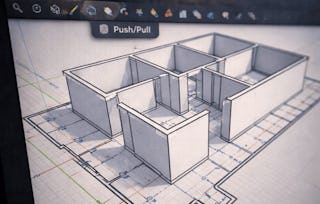
Learners will analyze architectural modeling requirements, apply SketchUp plugins, construct core building elements, and refine 3D architectural models using professional workflows. This course enables learners to develop practical skills for creating complete, detailed architectural models through a guided, project-based case study.
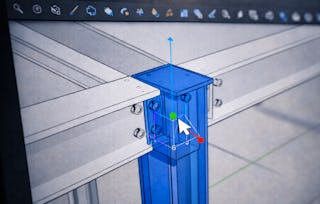
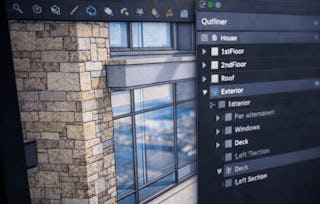
Throughout the course, learners work on a real-world architectural project, starting from project understanding and plugin setup to advanced modeling and finishing techniques. The course emphasizes the effective use of plugins such as 1001 BT tools and Fredo6, allowing learners to model walls, windows, staircases, doors, louvers, grills, roofing systems, and refined edge details with accuracy and efficiency.
What makes this course unique is its hands-on, case-study-driven approach, where every concept is applied directly to a single architectural model rather than taught in isolation. Learners gain workflow-oriented skills that mirror professional architectural modeling practices, making the course ideal for beginners and intermediate SketchUp users seeking practical, job-ready experience.
By the end of the course, learners will be able to confidently build, detail, and refine complete 3D architectural models using optimized plugin-based techniques in SketchUp.
This module introduces learners to the architectural case study, establishes the overall project workflow, and builds a strong foundation in using SketchUp plugins to enhance modeling efficiency and accuracy.
This module focuses on applying 1001 BT tools to create precise and repeatable architectural elements, including walls, surface details, and staircases, using efficient modeling techniques.
What's included
6 videos4 assignments
Show info about module content
6 videos•Total 43 minutes
Array Tools 1001 BT•9 minutes
Array Tools 1001 BT Continue•6 minutes
Wall and Window 1001 BT•10 minutes
Creating Grooves 1001 BT•3 minutes
Creating Single Flight staircase 1001 BT•5 minutes
Types of Staircases 1001 BT•10 minutes
4 assignments•Total 60 minutes
Graded - Core Modeling with 1001 BT Tools•30 minutes
Array & Repetition Tools•10 minutes
Walls & Surface Detailing•10 minutes
Staircase Modeling•10 minutes
Architectural Elements & Advanced Finishing
Module 3•2 hours to complete
Module details
This module guides learners through advanced architectural detailing, including façade elements, roofing systems, and professional finishing using Fredo6 tools to enhance realism and model quality.
What's included
7 videos4 assignments
Show info about module content
7 videos•Total 45 minutes
Door and Window Frames 1001 BT•3 minutes
Making Grills and Partition Screens•7 minutes
Making Louvers and Members•7 minutes
Creating a Roofing System•8 minutes
Joint Push Pull Tools By Fredo6•8 minutes
Fredon Scale Tools By Fredo6•10 minutes
Round Corner Tools•3 minutes
4 assignments•Total 60 minutes
Graded - Architectural Elements & Advanced Finishing•30 minutes
Doors, Screens & Louvers•10 minutes
Roofing Systems•10 minutes
Advanced Fredo6 Finishing Tools•10 minutes
Earn a career certificate
Add this credential to your LinkedIn profile, resume, or CV. Share it on social media and in your performance review.
Welcome to EDUCBA, a place where knowledge is limitless! We provide a wide selection of instructive and engaging programmes designed to empower students of all ages and experiences. From the convenience of your home, start a revolutionary educational experience with our cutting-edge technologies courses and experienced instructors.
When will I have access to the lectures and assignments?
To access the course materials, assignments and to earn a Certificate, you will need to purchase the Certificate experience when you enroll in a course. You can try a Free Trial instead, or apply for Financial Aid. The course may offer 'Full Course, No Certificate' instead. This option lets you see all course materials, submit required assessments, and get a final grade. This also means that you will not be able to purchase a Certificate experience.
What will I get if I subscribe to this Specialization?
When you enroll in the course, you get access to all of the courses in the Specialization, and you earn a certificate when you complete the work. Your electronic Certificate will be added to your Accomplishments page - from there, you can print your Certificate or add it to your LinkedIn profile.
Is financial aid available?
Yes. In select learning programs, you can apply for financial aid or a scholarship if you can’t afford the enrollment fee. If fin aid or scholarship is available for your learning program selection, you’ll find a link to apply on the description page.