When you enroll in this course, you'll also be enrolled in this Specialization.
Learn new concepts from industry experts
Gain a foundational understanding of a subject or tool
Develop job-relevant skills with hands-on projects
Earn a shareable career certificate
There are 2 modules in this course
By completing this course, learners will be able to analyze pavilion design requirements, apply space planning principles, construct accurate 3D models in SketchUp, and produce visually compelling rendered presentations using V-Ray. Learners will progress from understanding project intent to creating a fully detailed, presentation-ready pavilion model.
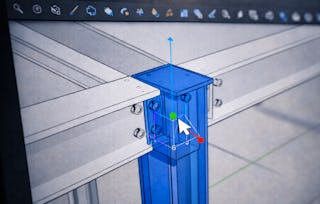
This course offers a practical, case study–driven approach to 3D modeling using SketchUp, making it ideal for learners who want hands-on experience rather than isolated tool demonstrations. Participants will learn how to plan pavilion layouts using top views, translate 2D plans into structured 3D forms, refine geometry with SketchUp tools and patterns, and enhance realism through V-Ray materials, rendering settings, and background environments.
By the end of the course, learners will have a complete pavilion project that demonstrates both technical modeling skills and design thinking. The course is unique in its end-to-end workflow focus, guiding learners through every stage of a real-world architectural modeling scenario. This makes it especially valuable for students, designers, and professionals seeking to strengthen their SketchUp and architectural visualization skills through applied learning rather than theory alone.
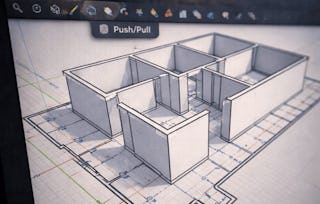
This module introduces learners to the complete workflow for creating a pavilion design in SketchUp, starting from project understanding and spatial planning to foundational 3D modeling. Learners explore how to interpret design intent, organize functional spaces using top and 2D views, and transition layouts into accurate 3D forms. By the end of the module, learners establish a structurally sound pavilion model with correct proportions and spatial alignment, forming a strong base for detailing and rendering in subsequent modules.
What's included
6 videos4 assignments
Show info about module content
6 videos•Total 55 minutes
Introduction to Project Part 1•6 minutes
Introduction to Project Part 2•9 minutes
Pavilion Design Space Planning•11 minutes
Top View•8 minutes
3D View•11 minutes
3D View Continue•10 minutes
4 assignments•Total 60 minutes
Project Overview and Design Intent•10 minutes
Space Planning and Plan Development•10 minutes
Core 3D Modeling of the Pavilion•10 minutes
Pavilion Design Foundations in SketchUp•30 minutes
Detailing, Visualization, and Rendering
Module 2•2 hours to complete
Module details
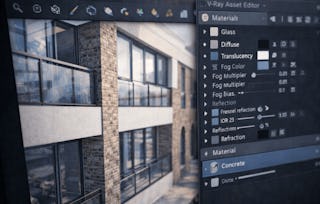
This module focuses on enhancing the pavilion model through surface detailing, tool-based refinement, and photorealistic visualization. Learners apply SketchUp patterns and tools to improve surface quality and design consistency, then use V-Ray to assign materials, configure rendering parameters, and prepare presentation-ready scenes. The module concludes with background setup techniques that elevate the visual realism and professional quality of the final pavilion render.
What's included
5 videos3 assignments
Show info about module content
5 videos•Total 44 minutes
SketchUp Patterns•10 minutes
Tools•10 minutes
V-Ray Tools•8 minutes
V-Ray Tools Continue•8 minutes
Pavilion Background Setting•8 minutes
3 assignments•Total 50 minutes
Detailing with SketchUp Tools and Patterns•10 minutes
Rendering and Presentation Setup with V-Ray•10 minutes
Detailing, Visualization, and Rendering•30 minutes
Earn a career certificate
Add this credential to your LinkedIn profile, resume, or CV. Share it on social media and in your performance review.
Welcome to EDUCBA, a place where knowledge is limitless! We provide a wide selection of instructive and engaging programmes designed to empower students of all ages and experiences. From the convenience of your home, start a revolutionary educational experience with our cutting-edge technologies courses and experienced instructors.
When will I have access to the lectures and assignments?
To access the course materials, assignments and to earn a Certificate, you will need to purchase the Certificate experience when you enroll in a course. You can try a Free Trial instead, or apply for Financial Aid. The course may offer 'Full Course, No Certificate' instead. This option lets you see all course materials, submit required assessments, and get a final grade. This also means that you will not be able to purchase a Certificate experience.
What will I get if I subscribe to this Specialization?
When you enroll in the course, you get access to all of the courses in the Specialization, and you earn a certificate when you complete the work. Your electronic Certificate will be added to your Accomplishments page - from there, you can print your Certificate or add it to your LinkedIn profile.
Is financial aid available?
Yes. In select learning programs, you can apply for financial aid or a scholarship if you can’t afford the enrollment fee. If fin aid or scholarship is available for your learning program selection, you’ll find a link to apply on the description page.